The short answer
Use an AI ad generator when the main constraint is producing enough on-brand variants from an already clear strategy.
Use a creative testing workflow when the main constraint is deciding what to test, what to watch, what to refresh, what to prune, and what to scale.
Most lean Shopify teams running Meta need both eventually. But if the weekly decision loop is messy, adding more creative volume can create more cleanup work instead of more learning.
What an AI ad generator is good at
An AI ad generator can help turn product pages, brand inputs, images, or prompts into more ad concepts and variants.
That is useful when:
- You already have a clear offer.
- You know which product or collection deserves more testing.
- Your team can judge whether a variant is on-brand.
- You have enough media budget to test multiple ideas.
- Someone is reviewing results and pruning weak ads every week.
The output is usually creative volume: hooks, headlines, static ads, video scripts, UGC concepts, or visual variants.
Creative volume matters. Meta rewards fresh, relevant creative, and many teams do not produce enough useful variants. But volume alone does not answer the weekly operating questions.
What a creative testing workflow is good at
A creative testing workflow helps a team turn evidence into decisions.
For a Shopify brand running Meta, that evidence usually includes:
- Storefront claims.
- Product page proof.
- Reviews and customer language.
- Buyer objections.
- Offers, bundles, and shipping thresholds.
- Recent ad-level spend.
- CTR, CPA, ROAS, frequency, and conversion movement.
- Landing page and checkout context.
- The team's last test plan.
The output is not "more ads." The output is a cleaner decision log:
- Scale this.
- Watch this.
- Refresh this.
- Prune this.
- Test this next.
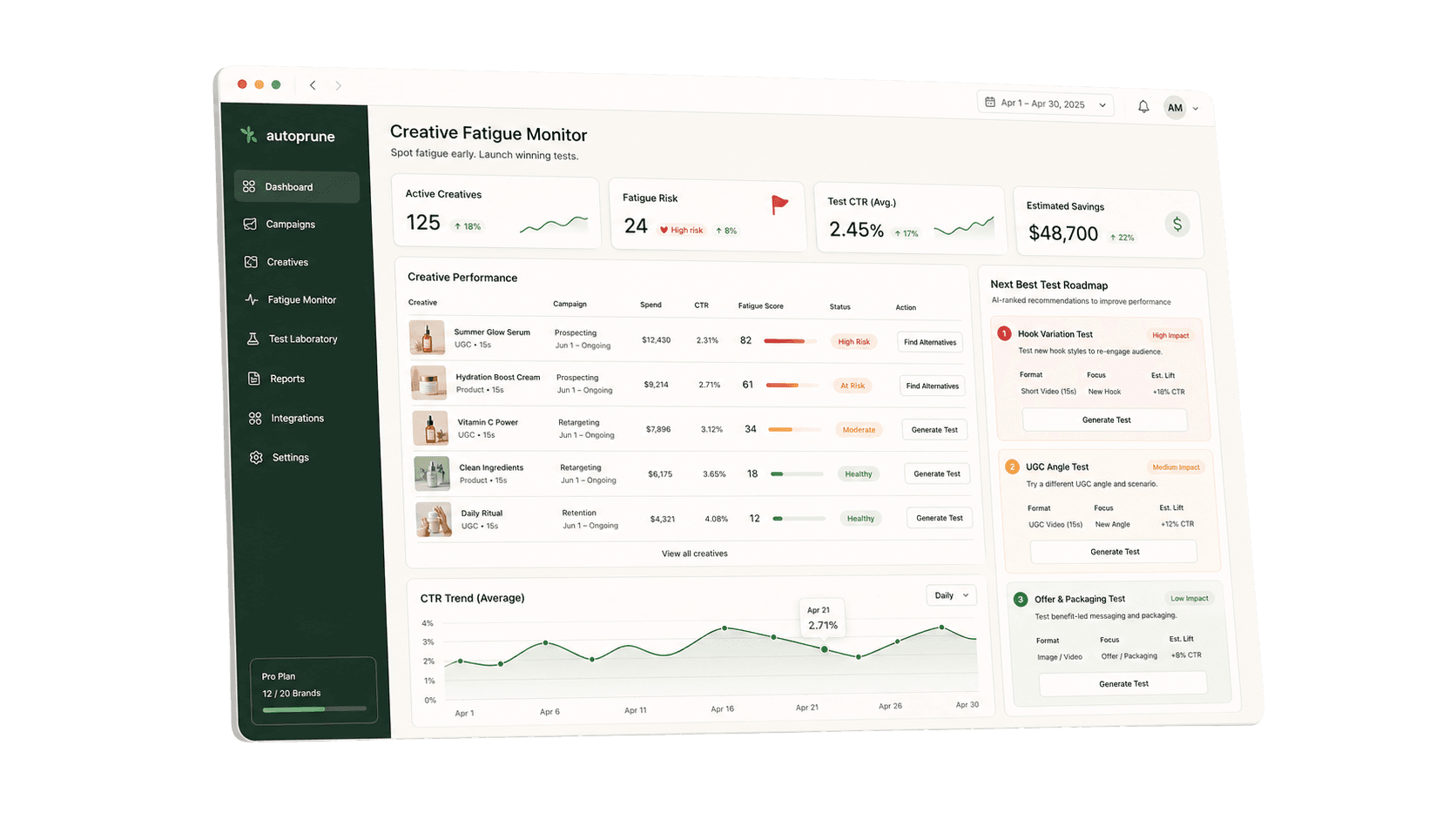
That is the workflow AutoPrune is being shaped around.
The real difference
| Question | AI ad generator | Creative testing workflow |
|---|---|---|
| What does it produce? | More creative variants | Better weekly test and pruning decisions |
| What input does it need? | Product, brand, prompt, image, or URL | Storefront evidence, ad results, objections, offers, and test history |
| Where does it help most? | Creative production speed | Weekly growth workflow clarity |
| What risk does it create? | More generic or off-strategy ads | Slower output if the team only needs volume |
| Best fit | Team knows what to test and needs more variants | Team has active Meta spend but messy testing, pruning, or fatigue decisions |
When more AI creative is the right answer
More creative production is the right answer when your current bottleneck is obvious:
- Winning concepts are known, but your team cannot make enough variations.
- You need more format coverage across Feed, Reels, Stories, and placements.
- Your designer or agency is blocking launch cadence.
- Your testing calendar is clear, but asset creation is slow.
- Your team has a media buyer or operator who can make weekly decisions from the results.
In that case, an AI generator or creative production tool can be a practical unlock.
When workflow cleanup is the better first move
Workflow cleanup is the better first move when your team has symptoms like these:
- Every week starts with a dashboard review but ends without clear decisions.
- You pause ads reactively without recording why.
- Winning ads run until they decay, then everyone scrambles.
- New tests are based on brainstorms instead of storefront proof.
- Weak ads keep spending because nobody owns pruning.
- Nobody can separate creative fatigue from tracking, offer, or landing page issues.
- The account has too many "maybe" ads and not enough clear next actions.
If this sounds familiar, more generated creative may increase the number of ads your team has to clean up.
A practical decision rule
Before buying or relying on another AI creative tool, ask:
Can we clearly explain last week's scale, watch, refresh, prune, and next-test decisions?
If yes, add creative volume where it supports the plan.
If no, fix the weekly testing workflow first. The Weekly Meta Ads Pruning Checklist is a practical starting point.
Where AutoPrune fits
AutoPrune is not trying to be a broad AI ad image generator or a replacement for your media buyer.
AutoPrune is opening a hands-on design partner pilot for Shopify teams running Meta every week who want a cleaner workflow around:
- Storefront diagnosis.
- Ranked creative hypotheses.
- Recommended first tests.
- Pruning and scaling review.
- Creative fatigue checks.
- Weekly test cleanup.
The starting point is your storefront and your real operator drag, not a promise that AI will magically fix ROAS. If the problem is "what should we test next?", use the Shopify Meta Ads Test Plan Template. If the problem is performance decay, start with the Creative Fatigue FAQ.
Best fit
AutoPrune is likely a fit if:
- You are a Shopify or ecommerce brand running Meta as a meaningful channel.
- You spend roughly $5k-$30k/mo on Meta, or enough that weekly testing creates real manual work.
- You are testing multiple products, offers, promos, or creative angles.
- A founder, marketer, or growth operator still owns too much campaign cleanup.
- You want clearer testing cadence before adding more tools or headcount.
Not a fit
AutoPrune is probably not a fit if:
- You are pre-launch or barely testing Meta.
- You only want AI-generated ad images.
- You want a guaranteed ROAS promise.
- You want a set-and-forget campaign tool.
- Your current agency or internal team already handles testing, pruning, fatigue monitoring, and cleanup well.